---
title: How can I reschedule my appointment?
description: Changing your current booking
---
[Skip to content](https://help.newsoul.de/en/how-can-i-reschedule-my-appointment#main-content)
English
Show submenu for translations
[](https://help.newsoul.de/en?hsLang=en)
Open main navigation
Close main navigation
- English
Show submenu for translations
- [Go to newsoul.de](https://newsoul.de/)
[Go to newsoul.de](https://newsoul.de/)
Ask me anything - how can we help?
- There are no suggestions because the search field is empty.
1. [newsoul Knowledge Base](https://help.newsoul.de/en?hsLang=en)
2. [Customer FAQs](https://help.newsoul.de/en/customer-faqs?hsLang=en)
3. [Existing Bookings](https://help.newsoul.de/en/customer-faqs?hsLang=en#existing-bookings)
# How can I reschedule my appointment?
## Changing your current booking
You can easily reschedule your appointment yourself using the **change link provided in your booking confirmation email**. You will find it at the bottom of the mail. All of our calendar is up to date so you will see all available slots in real time.
**Here a video on how to find the rescheduling link and rebook your slot:**
Please note that rescheduling appointments is **only possible 24 hours in advance** of your treatment for non members, and **8 hours in advance for new:soul members**.
#### Step by step guide:
1. **Open your new:soul confirmation mail**
2. **Navigate to the bottom of the mail and select the reschedule here hyperlink** 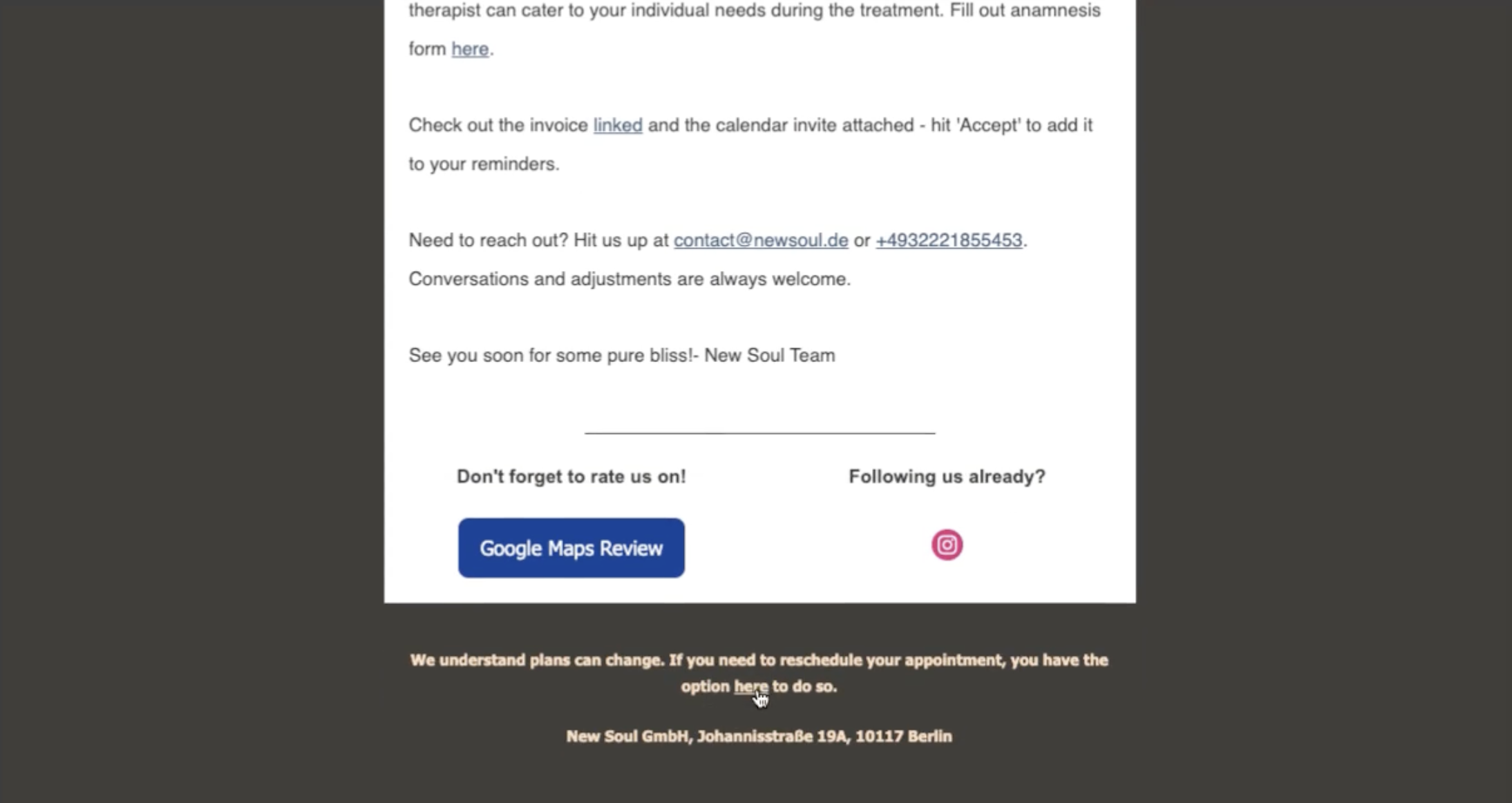
3. **Select your new time and date and confirm your new slot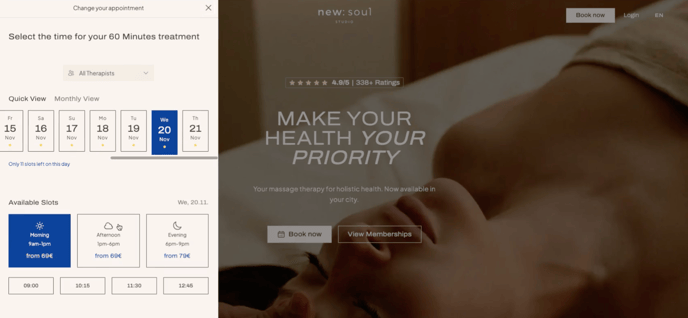**
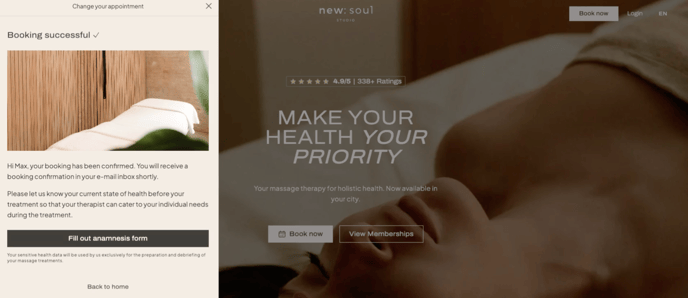
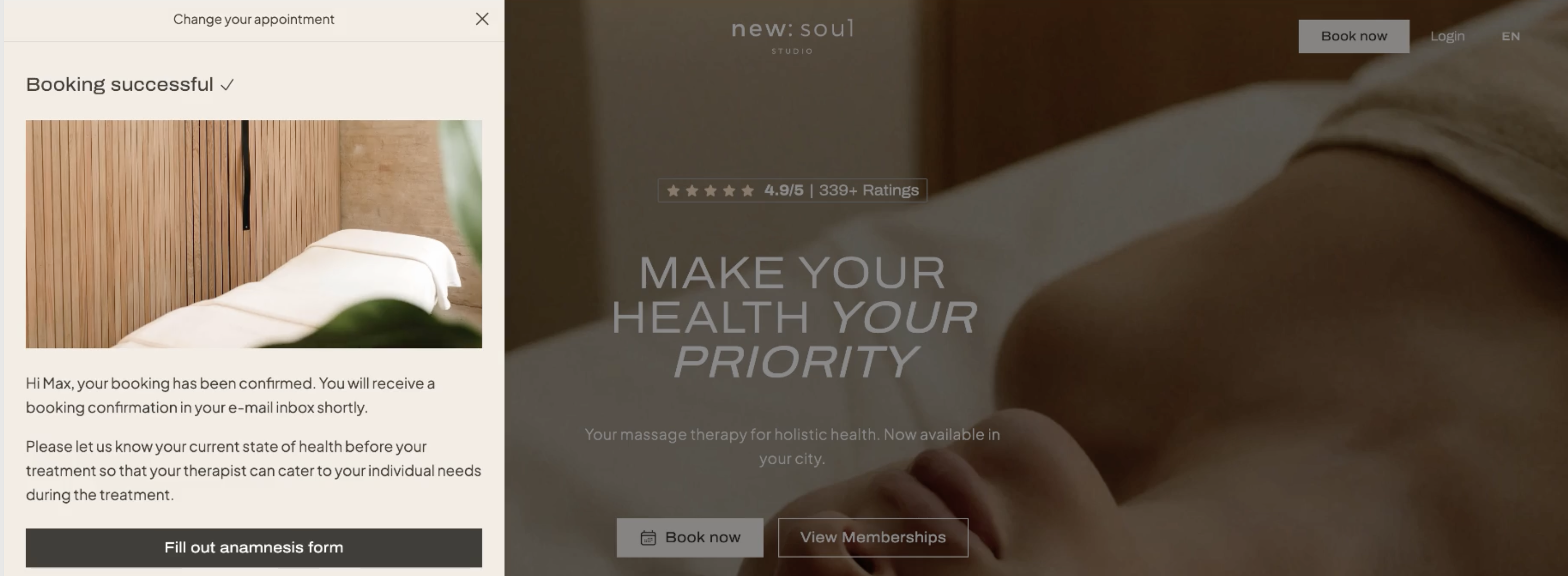
4. **Success! - Your booking was moved**
#### Second rescheduling option for Members only:
For members, you can also reschedule your appointment in your membership profile, here is a video guide on how to do that:
**Step by step guide:**
1. **Go to “My Bookings”** in your membership profile
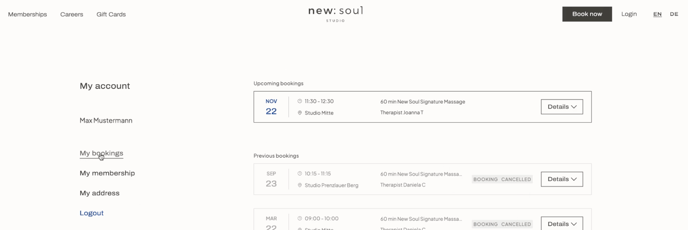
2. **Select the appointment** you want to cancel and click on details
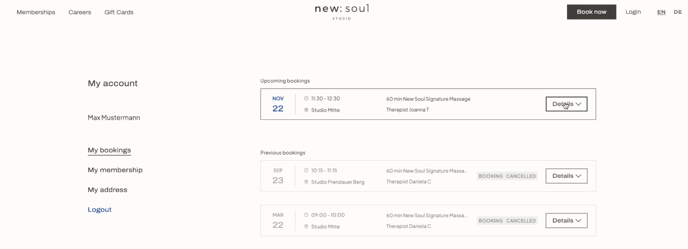
3. **Click on “Edit Booking”** for that appointment.
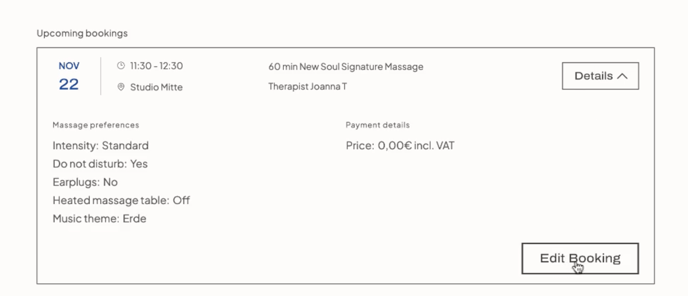
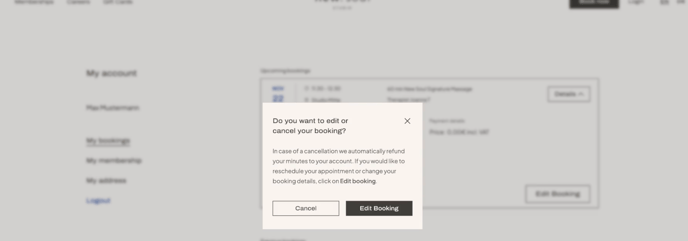
4. **Select “Edit Booking”**.
5. **You will be redirected to our new:soul booking tab, then select your new slot and confirm**
**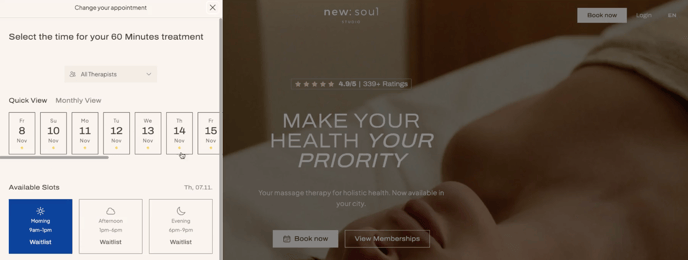**
6. **Success!**
****
If you need further assistance, our team is happy to help under **contact@newsoul.de**
- [Customer FAQs](https://help.newsoul.de/en/customer-faqs?hsLang=en#main-content)
- [New Bookings](https://help.newsoul.de/en/customer-faqs?hsLang=en#new-bookings)
- [Existing Bookings](https://help.newsoul.de/en/customer-faqs?hsLang=en#existing-bookings)
- [First Time at new:soul](https://help.newsoul.de/en/customer-faqs?hsLang=en#first-time-at-newsoul)
- [New Membership](https://help.newsoul.de/en/customer-faqs?hsLang=en#new-membership)
- [My Membership](https://help.newsoul.de/en/customer-faqs?hsLang=en#my-membership)
- [Services & Treatments](https://help.newsoul.de/en/customer-faqs?hsLang=en#services-treatments)
- [Giftcards & Promotions](https://help.newsoul.de/en/customer-faqs?hsLang=en#giftcards-promotions)
- [Pricing & Payment](https://help.newsoul.de/en/customer-faqs?hsLang=en#pricing-payment)
- [Facilities & Studio Information](https://help.newsoul.de/en/customer-faqs?hsLang=en#facilities-studio-information)
# New Soul GmbH
newsoul.de Help Center
Copyright © 2026, New Soul GmbH
```json
{
"@context" : "https://schema.org",
"@type" : "VideoObject",
"contentUrl" : "https://143361298.fs1.hubspotusercontent-eu1.net/hubfs/143361298/Booking%20and%20Appointments%20-%20Rescheduling%20my%20appointment%20.mp4",
"dateModified" : "2024-11-07T15:17:29.360Z",
"duration" : "PT33S",
"height" : 998,
"name" : "Booking and Appointments - Rescheduling my appointment ",
"thumbnailUrl" : "https://143361298.fs1.hubspotusercontent-eu1.net/hubfs/143361298/Booking%20and%20Appointments%20-%20Rescheduling%20my%20appointment%20.mp4/medium.jpg",
"uploadDate" : "2024-11-07T15:17:29.355Z",
"width" : 1700
}
```
```json
{
"@context" : "https://schema.org",
"@type" : "VideoObject",
"contentUrl" : "https://143361298.fs1.hubspotusercontent-eu1.net/hubfs/143361298/How%20to%20Move%20Your%20Appointment%20in%20Your%20Membership%20Profile%20%F0%9F%91%A9_%F0%9F%92%BB.mp4",
"dateModified" : "2024-11-07T15:19:21.740Z",
"duration" : "PT1M36S",
"height" : 1080,
"name" : "How to Move Your Appointment in Your Membership Profile 👩_💻",
"thumbnailUrl" : "https://143361298.fs1.hubspotusercontent-eu1.net/hubfs/143361298/How%20to%20Move%20Your%20Appointment%20in%20Your%20Membership%20Profile%20%F0%9F%91%A9_%F0%9F%92%BB.mp4/medium.jpg",
"uploadDate" : "2024-11-07T15:19:21.735Z",
"width" : 1840
}
```